
The five-part WAN 2.6 prompt formula
Image-to-video is not text-to-video with a picture attached. The image already defines the subject, palette, composition and starting state. Your prompt should mainly explain what changes over time.
- Subject action: what the main subject physically does.
- Environmental motion: wind, water, smoke, traffic, particles or background movement.
- Camera move: one controlled move such as dolly in, truck left or slow orbit.
- Continuity constraint: what must not drift or deform.
- Light and mood: the visual finish, kept short because the image already carries style.
Template: “[Subject] performs [clear action]. [Two environmental elements] move naturally. The camera [single camera move]. Keep [identity or geometry] stable. [Lighting and mood].”
How to choose camera motion
| Camera move | Use it for | Prompt phrase | Main risk |
|---|---|---|---|
| Dolly in | Reveal emotion or detail | “slow, subtle dolly toward the subject” | Face drift at very close range |
| Dolly back | Subject moving toward camera | “camera retreats smoothly at walking speed” | Feet or ground contact errors |
| Truck left/right | Products, vehicles, architecture | “parallel tracking shot from the side” | Revealing unmodeled side geometry |
| Slow orbit | Strong 3D subjects with space around them | “gentle 15-degree clockwise orbit” | Identity and background reconstruction |
| Locked camera | Cloth, weather, water and subtle portraits | “locked tripod shot; no camera movement” | Output can feel less dramatic |
Prompting motion without deforming the frame
The safest prompt asks for motion the source image can plausibly support. A front-facing portrait can blink, breathe and turn slightly; it is a poor starting point for a full 360-degree spin because the hidden side of the head does not exist in the frame. A product photographed on a clean table can support a short arc or push-in, but a rapid orbit forces the model to invent the rear geometry.
Protect the important region explicitly: “preserve facial identity,” “keep the bottle label and cap geometry stable,” or “maintain straight architectural lines.” Do not stack ten negative constraints. Identify the one or two failure modes that would make the clip unusable.
When to choose 720p or 1080p
Choose 720p for prompt iteration, social previews and shots where you expect to run several versions. Choose 1080p when the motion plan is already stable and the clip needs more delivery detail. Resolution does not repair motion errors: a malformed hand or warped product label simply becomes a sharper error.
FreeWanVideo currently exposes both resolutions on the WAN 2.6 page. Check the displayed credit cost before submission because duration, resolution and audio options can affect usage.
How to prompt synchronized audio
If you turn on Audio, add a short sound clause after the visual direction. Tie each sound to something visible: “soft boot splashes, a low forest hum and distant wind through leaves.” This gives the model a coherent sound stage. Avoid unrelated music, dialogue, machinery and crowd noise in the same five-second request.
For speech, keep the line short enough for the clip and describe the speaker. For ambience, two layers are usually enough. For impact sounds, name the visible event and its timing: “the metal door closes once with a heavy echo near the end.”
Ten WAN 2.6 image-to-video prompt examples
- Portrait: “The woman takes one quiet breath and looks toward the window. A few loose hairs move in a soft breeze. Slow dolly in. Preserve facial identity and jewelry. Natural morning light.”
- Product: “Condensation rolls down the cold bottle while the background light moves gently. Slow 10-degree clockwise arc. Keep the logo, cap and bottle proportions stable. Premium studio lighting.”
- Food: “Steam rises from the ramen and the broth surface ripples subtly. Locked camera with a very slight push in. Preserve bowl shape and ingredient placement. Warm restaurant light.”
- Landscape: “Cloud shadows travel across the valley, grass bends in waves and the lake catches moving highlights. Slow aerial-style push forward. Keep the mountain silhouette stable.”
- Car: “The sports car drives smoothly along the wet road as tire spray trails behind. Parallel tracking shot at wheel height. Keep body panels, wheels and reflections coherent.”
- Fashion: “The model takes two measured steps and the dress fabric follows naturally. Camera retreats smoothly. Preserve face, garment pattern and limb proportions. Soft runway lighting.”
- Architecture: “Rain falls through the courtyard and warm interior lights flicker subtly. Slow centered dolly forward. Maintain straight walls, windows and columns. Quiet cinematic atmosphere.”
- Fantasy: “The dragon lifts its head and exhales a thin ribbon of glowing mist. Embers drift upward. Gentle low-angle push in. Keep wing and facial anatomy stable.”
- Social vertical: “The skateboarder rolls toward camera and performs one small turn. Phone-style tracking movement, steady horizon. Preserve face, board and body proportions. Late-afternoon street light.”
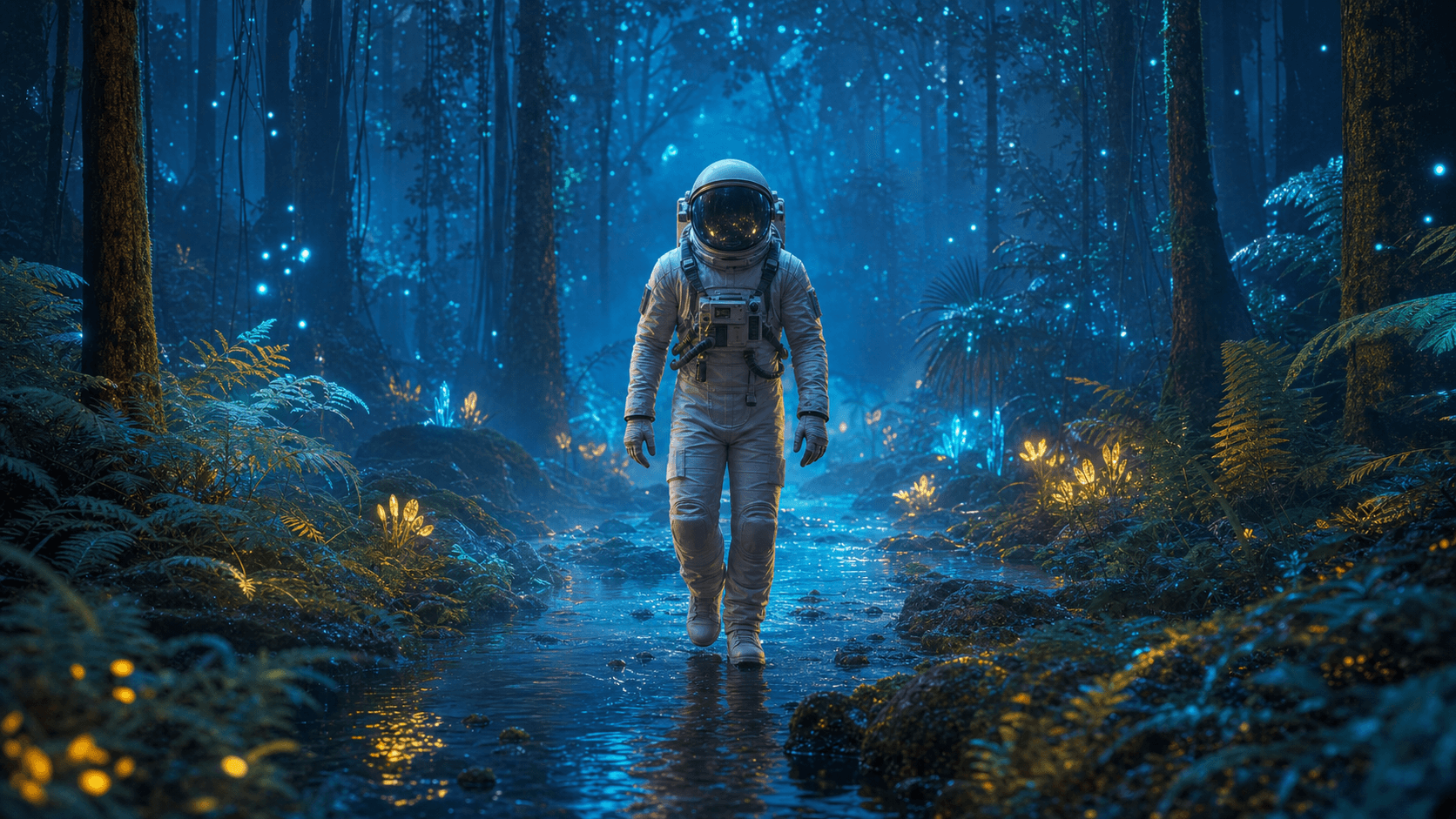
- Audio scene: “The astronaut walks through shallow water while spores drift and ferns sway. Subtle dolly back. Preserve the suit. Audio: soft boot splashes, low wind and distant resonant forest tones.”
A three-pass iteration workflow
Pass 1: prove the motion
Use 720p, audio off and the shortest practical duration. Test only the main action and one camera move.
Pass 2: correct continuity
Add one precise constraint for the observed failure: face, hands, product geometry, horizon or building lines.
Pass 3: finish the shot
Once motion is reliable, test 1080p, add environmental detail and enable audio if sound contributes to the story.
Final checklist
- The source image has one readable subject and enough space for movement.
- The prompt uses concrete verbs and fits the selected duration.
- There is no more than one major camera move.
- The prompt identifies the geometry or identity that must remain stable.
- Audio directions are short and tied to visible events.
- You test motion before paying for the highest-resolution iteration.