
Bring a treasured portrait to life
Animate Old Photos Online Free
Add natural blinking, a gentle smile, or subtle portrait movement while preserving the original vintage appearance.
Get 100 free credits when you sign up
Log in daily to claim 60 credits during your first 14 days
Create Your Video
Choose an animation style
View examples ↓Upload only photos you own or have permission to use.
Preview Your Video
Video Preview
Your generated video will appear here
How to animate an old photo
No prompt writing is required. Choose a prepared movement style designed for portrait photographs.
- 01
Upload an old portrait
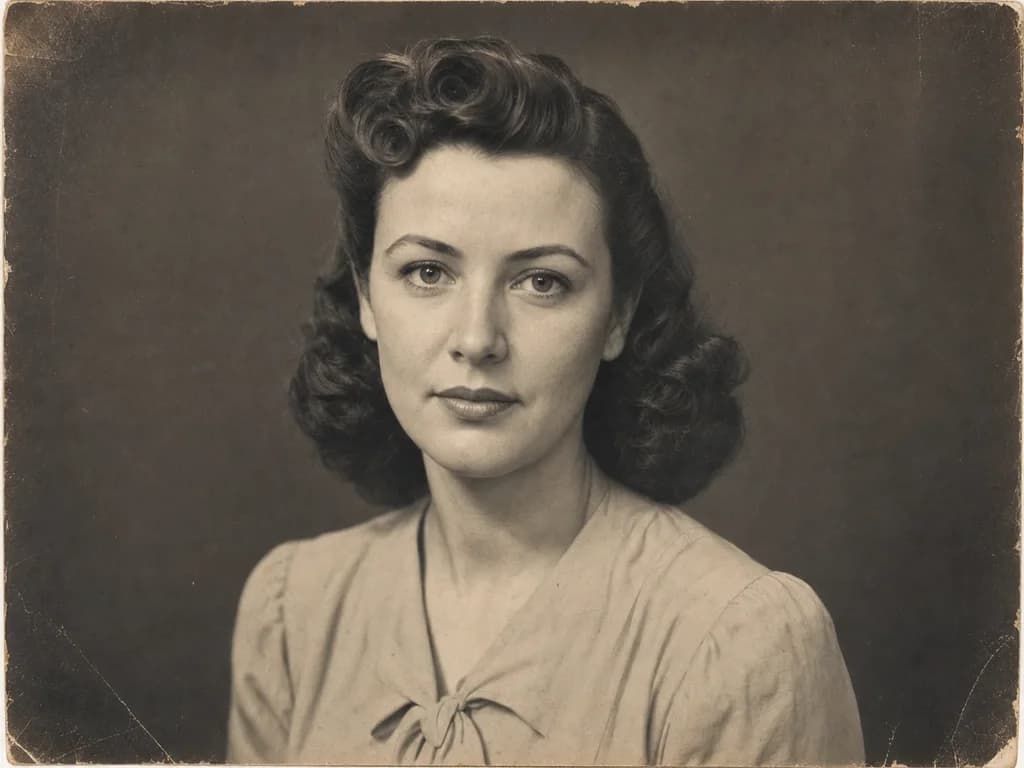
Choose a scan or photo with one clear, unobstructed face.
- 02
Choose a motion style
Select Natural Motion, Gentle Smile, or Living Portrait.
- 03
Generate for 30 credits
WAN 2.2 Basic creates a 6-second 480p photo animation.
One portrait, three subtle movements
Old photo animation examples
Compare all three styles using the same fictional portrait, WAN 2.2 Basic, 480p resolution, and a 6-second duration.
Natural Motion
6s · 480pSubtle blinking, breathing, and eye movement with a stable camera.
Gentle Smile
6s · 480pA restrained warm smile with natural blinking and minimal head movement.
Living Portrait
6s · 480pA small head turn and gaze shift with a slow cinematic close-up.
Start with 100 Basic credits
Your starting balance covers up to three old photo animations at the current 30-credit price, with 10 credits remaining.
- New account
- 100 Basic credits
- Daily claim during first 14 days
- 60 Basic credits
- Each old photo animation
- 30 Basic credits
Animate memories responsibly
Use only photos you own or have permission to animate. Treat the result as an AI-created interpretation, and do not present it as a real recording.
Read the terms of serviceAnimate old photos FAQ
How can I animate an old photo?
Upload one old portrait, choose Natural Motion, Gentle Smile, or Living Portrait, and generate. WAN 2.2 Basic turns the still image into a 6-second 480p video using a private motion prompt prepared for that style.
Can I animate old photos online for free?
New FreeWanVideo accounts receive 100 starting credits, enough for three old photo animations at the current 30-credit price. Eligible new users can also claim 60 Basic credits daily during their first 14 days.
How many credits does one old photo animation cost?
Each animation costs 30 Basic credits. WAN 2.2 Basic, 6-second duration, and 480p resolution are fixed on this page.
What kind of old photo works best?
Use a clear front-facing or three-quarter portrait where the eyes, nose, mouth, and face outline are visible. Scan or photograph the print in even light and avoid glare, heavy blur, deep folds across the face, or very small faces.
Will the tool colorize or restore my old photo?
No. This page focuses on motion and asks the model to preserve the original monochrome or sepia appearance, age, print texture, clothing, and background. AI generation can still vary, so review the result before sharing it.
Can I animate a family photo?
Yes, if you own the photo or have permission to use it. A single clearly visible portrait usually produces the most stable facial motion. Do not use the result to misrepresent a real person's words or actions.