
What image-to-video AI actually does
An image-to-video model takes a still frame as the visual starting state and predicts how that scene could evolve over time. The image anchors identity, color, objects and composition. Your text prompt directs action, camera motion, atmosphere and—on supported models—sound.
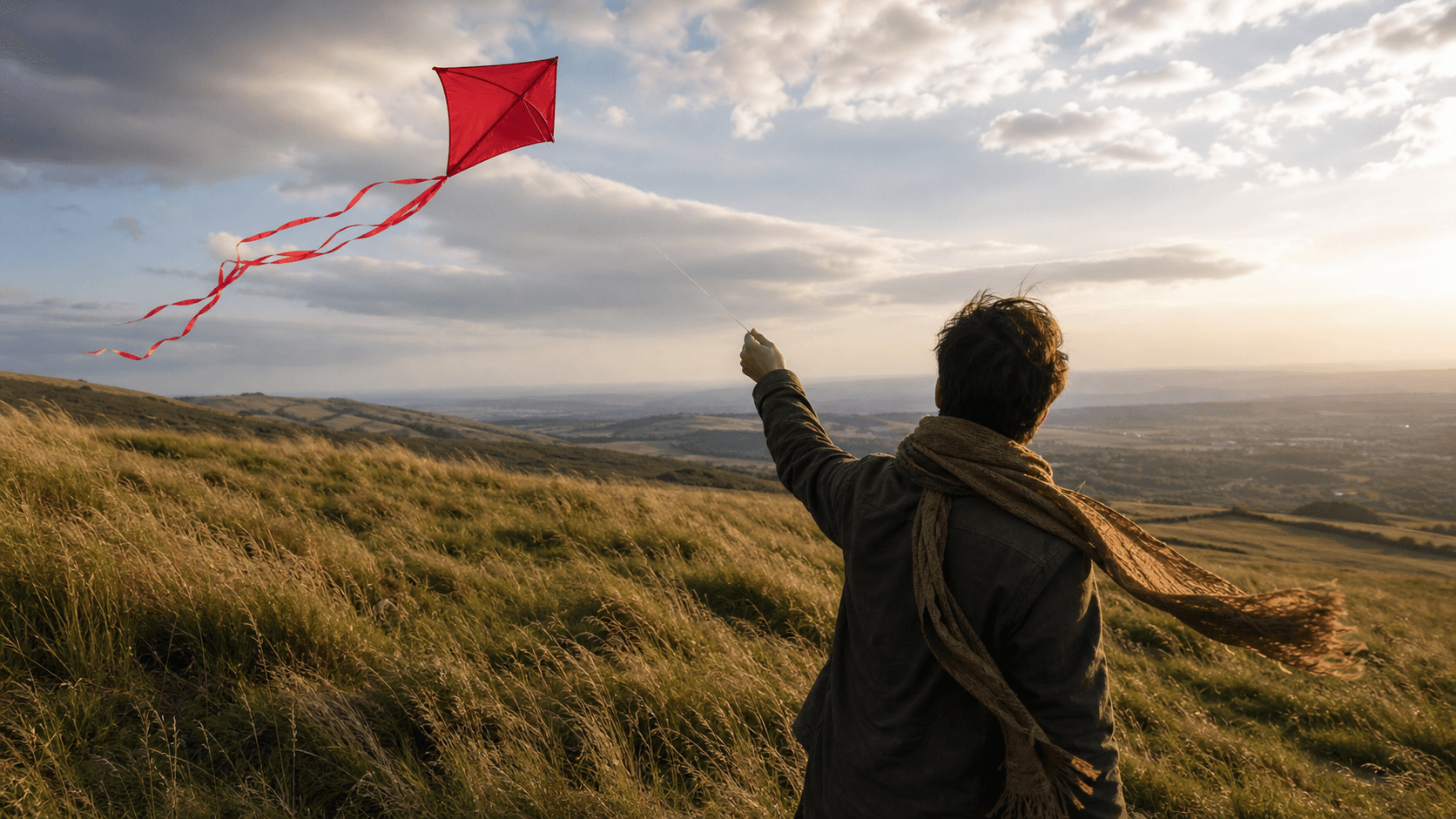
The most common mistake is rewriting the image as if the model cannot see it: “a person in a dark jacket standing on a grassy hill under cloudy sky.” That spends words on static content. A more useful prompt says what changes: “The kite climbs in a gust, ribbons and grass move with the same wind, and the camera slowly pushes toward the person.”
Step 1: choose a source image that can move
- Clear subject: one main person, product, vehicle, animal or location should be immediately readable.
- Clean geometry: hands, faces, wheels, labels and architectural lines should already look correct.
- Motion space: leave room in the direction the subject or camera is expected to travel.
- Layered depth: foreground, subject and background help a model create convincing parallax.
- Right aspect ratio: begin with landscape for 16:9 delivery or portrait for 9:16 when possible.
Do not assume that higher pixel dimensions guarantee a better result. A clean, well-composed 1600-pixel image often animates more reliably than a noisy, over-sharpened or heavily compressed 4K image.
Step 2: choose the model from the output requirement
FreeWanVideo groups several model workflows inside the image-to-video generator. Start with four questions: Do you need 1080p? How long must the clip be? Does it need generated audio? Do you need start/end-frame or special framing controls?
- WAN 2.5: straightforward 720p image-to-video with 5- or 10-second choices in the current interface.
- WAN 2.6: current WAN workflow with 720p or 1080p options and optional audio.
- Grok Video: image- or text-led generation with several clip lengths and aspect ratios.
- Seedance 2.0 Mini: fast image-led iteration with optional last-frame and audio controls.
- Seedance 1.5 Pro: audio-video generation suited to short narrative or ambience-led clips.
Interface availability can change independently of official model-family specifications. The generator is the source of truth for the settings and credit cost available on the site at submission time.
Step 3: write a motion-first prompt
Use this compact structure: subject action + environmental motion + camera move + stability constraint + finish.
Example: “The chef places one herb garnish on the plate. Steam drifts upward and the sauce reflects moving window light. Slow dolly in. Keep hands, plate geometry and food arrangement coherent. Premium restaurant commercial.”
Concrete verbs—walks, turns, pours, rises, bends, flickers—are easier to visualize than abstract language such as “epic movement” or “make it dynamic.” If motion is not working, simplify before adding more adjectives.
Step 4: test duration, resolution and audio
Begin with the shortest clip that can prove the action. A five- or six-second shot can comfortably hold a look, a turn, a small walk, a product reveal or an environmental loop. A complex sequence—open a door, cross a room, sit down and speak—needs either a longer supported duration or multiple shots.
Use 480p or 720p while exploring prompts when the selected model offers those choices. Move to 1080p after subject identity, geometry and camera motion are stable. Enable audio only when the model and scene support it, and describe sounds that correspond to visible events.
20 image-to-video prompts you can adapt
- Cinematic portrait: “The subject takes a quiet breath and looks slightly past the camera. Hair moves in a soft breeze. Slow dolly in. Preserve facial identity and eye direction.”
- Talking portrait: “The presenter says one short sentence with natural mouth movement and a small hand gesture. Locked camera. Preserve face, clothing and background.”
- Fashion walk: “The model takes two slow steps forward. Coat fabric and hair follow naturally. Camera retreats at the same speed. Keep face and garment pattern stable.”
- Skincare product: “The glass bottle rotates gently as a narrow highlight travels across it. Slow 15-degree camera arc. Preserve logo, cap and bottle proportions.”
- Sneaker: “The shoe remains in place while dust particles lift and side light sweeps across the materials. Subtle push in. Keep laces and sole geometry stable.”
- Food close-up: “Steam rises from the dish and sauce glistens under moving light. Gentle macro push in. Preserve ingredient placement and plate shape.”
- Coffee: “A hand pours milk into the coffee, forming one smooth swirl. Locked overhead camera. Keep cup rim and hand anatomy coherent.”
- Car tracking: “The car drives along the wet road with light tire spray. Parallel tracking shot at wheel height. Preserve body panels, wheels and reflections.”
- Motorcycle: “The rider leans slightly through the curve while roadside lights streak softly. Smooth chase camera. Keep rider and motorcycle proportions stable.”
- Architecture: “Morning light moves across the facade as a few people cross the plaza. Slow centered dolly forward. Maintain straight lines, windows and columns.”
- Interior: “Curtains move in a light breeze and sunlight shifts across the floor. Locked tripod shot. Preserve furniture geometry and room layout.”
- Ocean: “Waves roll toward shore and sea grass bends in coastal wind. Slow aerial-style push forward. Keep the horizon level and cliffs stable.”
- Waterfall: “Water flows continuously while mist drifts through sunbeams. Gentle tilt up. Preserve rock shapes and surrounding trees.”
- Forest: “Leaves sway at different depths, dust motes float and a deer lifts its head once. Very slow dolly in. Preserve animal anatomy.”
- Pet: “The dog looks toward the camera, blinks and wags its tail once. Locked camera. Preserve fur pattern, face and paws.”
- Illustration: “The character's cape moves in the wind while clouds pass behind. Slow parallax push in. Preserve line art, face and color palette.”
- Fantasy temple: “Lantern flames flicker, mist crosses the wet courtyard and maple leaves spiral down. Slow dolly forward. Preserve temple architecture.”
- Space scene: “The astronaut drifts slowly as small particles pass at different depths. Gentle camera roll of five degrees. Keep suit design and body proportions stable.”
- Vertical social clip: “The creator turns toward camera and raises the product once. Slight handheld push in. Preserve face, hands and product label. Clean studio light.”
- Audio-enabled rain scene: “The person walks under an umbrella as rain splashes on the street. Parallel tracking shot. Preserve face and umbrella. Audio: steady rain, soft footsteps and distant traffic.”
Step 5: diagnose the first result
| Problem | Likely cause | Next test |
|---|---|---|
| Face changes | Large turn or aggressive camera motion | Reduce angle; add one identity constraint |
| Hands deform | Complex interaction or hidden fingers | Use a smaller gesture or a clearer source image |
| Background melts | Strong orbit or conflicting parallax | Use a push, truck or locked camera |
| Nothing moves | Prompt describes style, not action | Lead with one concrete subject verb |
| Too much motion | Several actions compete in a short duration | Remove secondary action and camera flourish |
Publishing checklist
- Watch the full clip at normal speed and frame by frame near problem areas.
- Check rights to the source image, music, voices, likenesses and branded material.
- Export the aspect ratio required by the destination instead of cropping important content later.
- Keep the successful prompt and settings with the asset so the workflow is reproducible.
- Do not claim a resolution, model or audio feature that was not used for the final file.
Final recommendation
Treat image-to-video as shot design, not a one-click filter. Begin with a source frame that already communicates the scene, direct only the motion that matters, test cheaply, then add resolution and sound. That workflow is faster, easier to diagnose and more transferable across WAN, Grok, Seedance, Veo and future models.